
WELCOME TO JABRA XPRESS
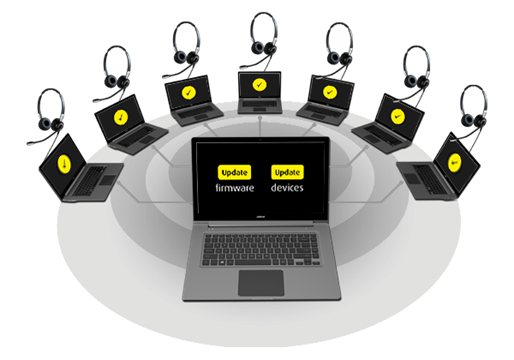
Jabra Xpress is an on-premises IT administration tool that helps you deploy firmware, configure settings, and manage Jabra headsets at scale across your organization.
This site provides the on-premises version of Jabra Xpress for Windows PCs and Linux thin clients.
With Jabra Xpress you can:
- Deploy and update Jabra device firmware centrally
- Configure device settings for different user groups or locations
- Install and update Jabra Direct on Windows PCs
Note on Xpress for Windows
We have extended the update period for this on-premises version of Jabra Xpress for Windows through 2026. The included Jabra Direct component may have some limitations compared to the latest Jabra Direct client. For the most recent Xpress for Windows experience, visit Xpress.Jabra.com or contact your local Jabra representative to review the options available in your region.
Important! From February 2, 2026, the following products will only have the specified firmware version(s) available due to security enhancements. It may not be possible to downgrade to previous versions.
- Evolve 65 TE (1.0.3 and newer)
- Evolve2 50 (1.5.1 and newer)
- Evolve2 55 (1.5.0 and newer)
- Evolve2 65 (2.9.2 and newer)
- Evolve2 65 flex (1.4.8 and newer)
- Evolve2 75 (1.12.10 and newer)
- Evolve2 85 (1.5.7 and newer)
- Engage 55 (5.19.3 and newer)
- Engage 55SE (5.19.3 and newer)
- Engage 65/65SE series (5.19.3 and newer)
- Engage 75/75SE series (5.20.1 and newer)
- Link 390 (1.4.6 and newer)
- Link 400 (1.16.1 and newer)
- PanaCast 50 (9.3.6 and newer)
SELECT YOUR DEPLOYMENT PLATFORM
WINDOWS DESKTOP
Create MSI packages for Windows PCs, containing device firmware, device settings, the Jabra Device Updater, and options for Jabra Direct. Alternatively, create ZIP archives for deployment from your own on-premises servers.
Modify a previous configuration by uploading an existing MSI package or ZIP archive.
LINUX THIN CLIENT
Create ZIP archives, for local on-premises server deployment, containing device firmware, device settings, and the Jabra Device Updater.
Modify a previous configuration by uploading an existing ZIP archive.
We support the following 64-bit Linux distributions. For new deployments, we recommend using the latest LTS/RP versions:
- Ubuntu 26.04 LTS (recommended)
- Ubuntu 24.04 LTS (recommended)
- eLux RP 7.x (recommended)
- Ubuntu 20.04 LTS (supported for existing deployments)
- eLux RP 6.x (supported for existing deployments)